
Welcome back to VV Eekly Update. This week, let’s go in a slightly different direction than the past two weeks and talk about the actual development of Vyn and Verdan.
Godot
Godot is the game engine used to create Vyn and Verdan. It’s free and open-source – you can download it and open it right now!
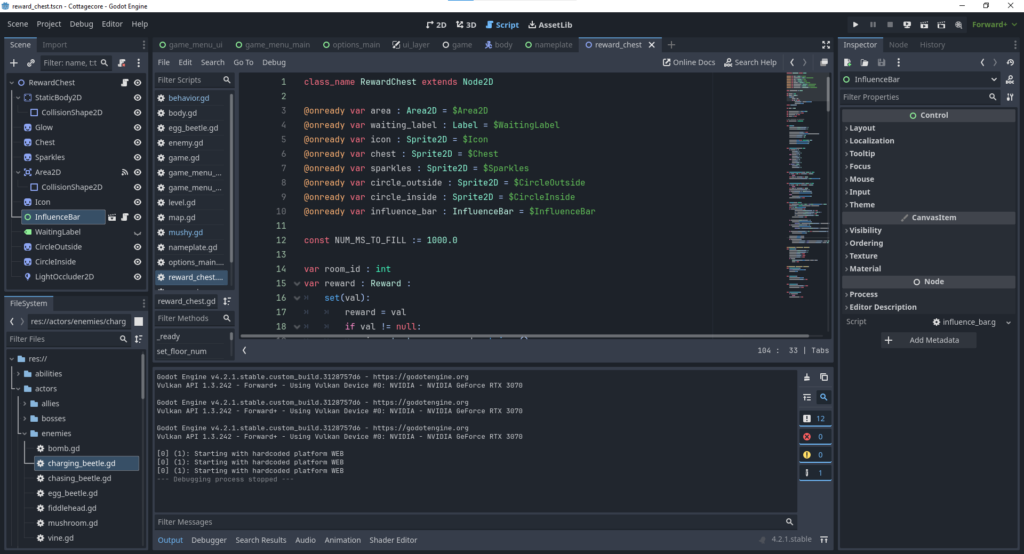
Godot has been under development for a long while, and it’s been becoming much more popular due to the recent Unity debacle. A few fairly successful games are made with Godot, including Brotato and the upcoming Slay the Spire 2. Godot has its own custom language called GDScript, or you can use C#. I have chosen to use GDScript, and that’s what we’ll be talking about here.
GDScript is a high-level, object-oriented, imperative, and gradually typed programming language built for Godot. It uses an indentation-based syntax similar to languages like Python. Its goal is to be optimized for and tightly integrated with Godot Engine, allowing great flexibility for content creation and integration.
– GDScript Reference Page
As a fairly experienced software engineer, I chose to go with Godot when developing Vyn and Verdan due to its open-source nature and good reputation for documentation.
Other game engines might or might not be more powerful, but I can’t use features that I don’t know or can’t learn about. The standard documentation covers a surprising amount of the capabilities of Godot, and the rest is usually covered by someone making a free tutorial on YouTube. I’ve been very grateful that many people have taken time to explain how to work in Godot and GDScript. In that spirit, I want to release back to the community some of the things I’ve been learning about Godot from the perspective of an experienced systems-oriented backend software engineer.
I’ll be talking less about what you can do with Godot – syntax and code – and more about how you can work with Godot – design and patterns. I’ll assume that you have a basic understanding of Godot syntax, but please feel free to ask for clarifications!
Setters and Getters
In Godot, each property in a class can be defined with a setter and a getter. I have found setters to be much more useful than getters, but they are both powerful tools. The documentation makes a brief reference to setters and getters, but I think they’re useful enough in GDScript to warrant a special callout. Here are some examples where setters or getters are useful:
# Ensures various properties are synced.
var is_speedy := false :
    set(val):
        is_speedy = val
        speedy_sprite.visible = val
        play_speedy_sound()
# behavior_type is synced to multiplayer clients via RPCs.
# behavior cannot be synced directly via RPCs since it's an object.
var behavior_type : String :
set(val):
behavior_type = val
behavior = load_behavior(behavior_type)
var behavior : Behavior
# Alternate setup if behavior is not expensive to load.
var behavior_type : String
var behavior : Behavior :
get:
return load_behavior(behavior_type)# We need to wait for the players to be set before setting the camera.
var camera_player : PlayerNum :
set(val):
camera_player = val
if !are_players_ready():
await players_set
set_camera(camera_player)# Boss health should trigger stage changes.
var boss_health : float :
set(val):
boss_health = val
boss_health_changed.emit(boss_health) # Emit a custom signal.
if boss_health < 30:
stage_num = 3
elif boss_health < 60:
stage_num = 2# A room needs to know which floor it is on before setting the
# atmosphere, so let's wait until the floor num is set.
var floor_num : int :
set(val):
set_lighting(floor_num)
set_music(floor_num)
# Wait for the node to be ready, then pass the floor num on.
if !is_node_ready():
await ready
reward_chest.set_floor_num(floor_num)That’s enough examples for now, although even more will be coming when we talk about multiplayer and RPCs in the future. For now, please feel free to set any comments in the Discord (or go do something with Godot)!